Learn ScanIt Delivery
Every Truck, on the Office TV
A live map, a route board, late stops and the trucks still loading — rotating on the wall all day, with nobody signed in.
Dispatch shouldn’t need a laptop to answer “where’s the truck?”
The counter calls back to ask where an order is. The parts manager wants to know which routes are running late. The warehouse wants to know which truck to load next. Most of the time someone has to sign in, open a screen and go looking.
TV Dashboards put those answers on a TV in the dispatch office or the shipping bay. Each TV gets its own private link. Open it in the TV’s browser, or on a media stick or mini PC, and leave it. The screens rotate on a timer you set and refresh themselves all day.
The screenshots on this page come from our demo dealership, Northline Auto Group. The names and numbers are made up, and the screens are the real ones.
Trucks on the Road: the live map
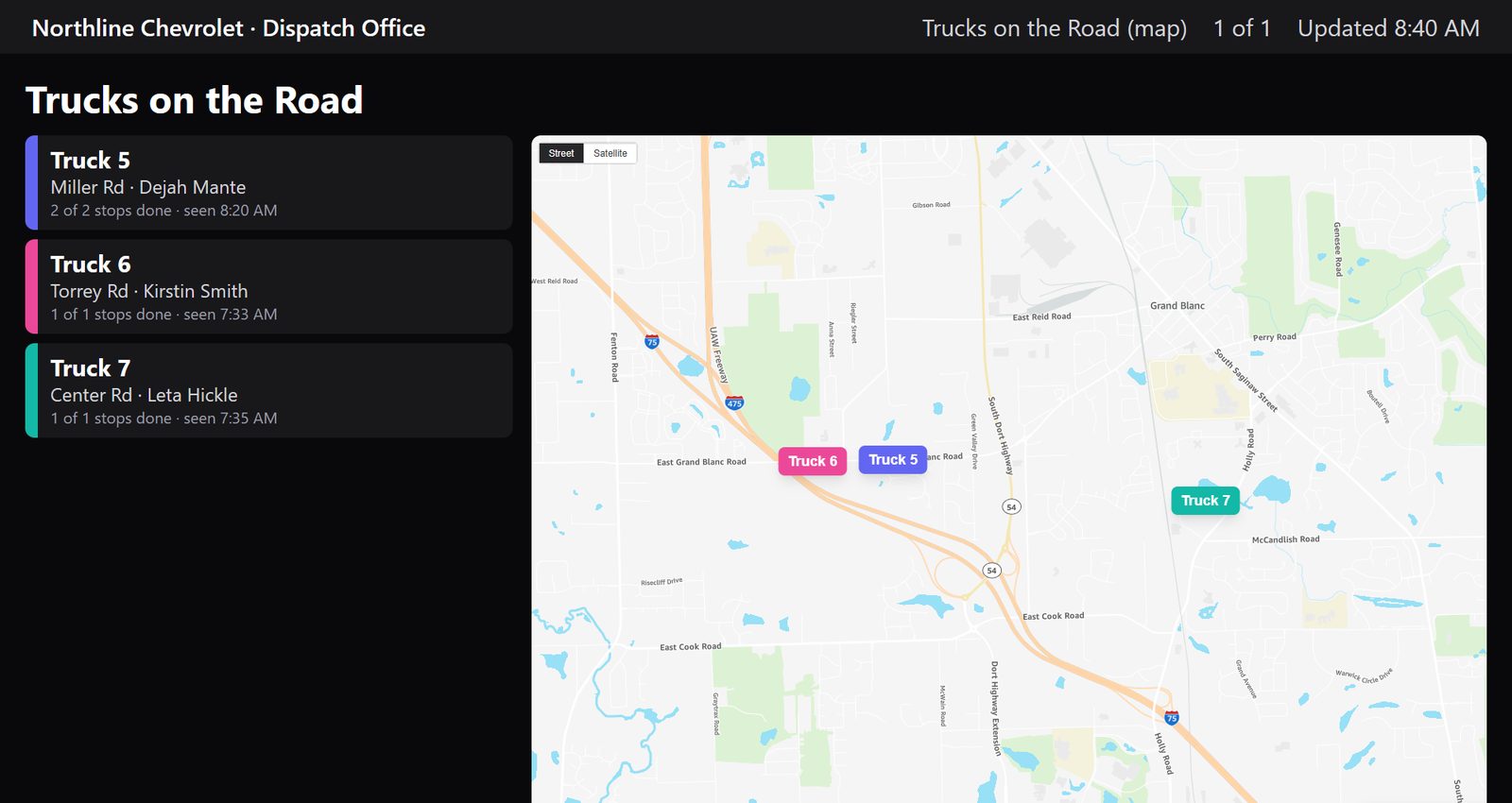
Every truck out on today’s routes appears as a pin on the map. Beside the map, each truck shows its driver, its route, how many of its stops are done, and when it last reported in. Positions come from the ScanIt Delivery app on the driver’s phone while the route is running, so the map shows only your own trucks, on your own routes.
The Route Board: every stop, colour-coded
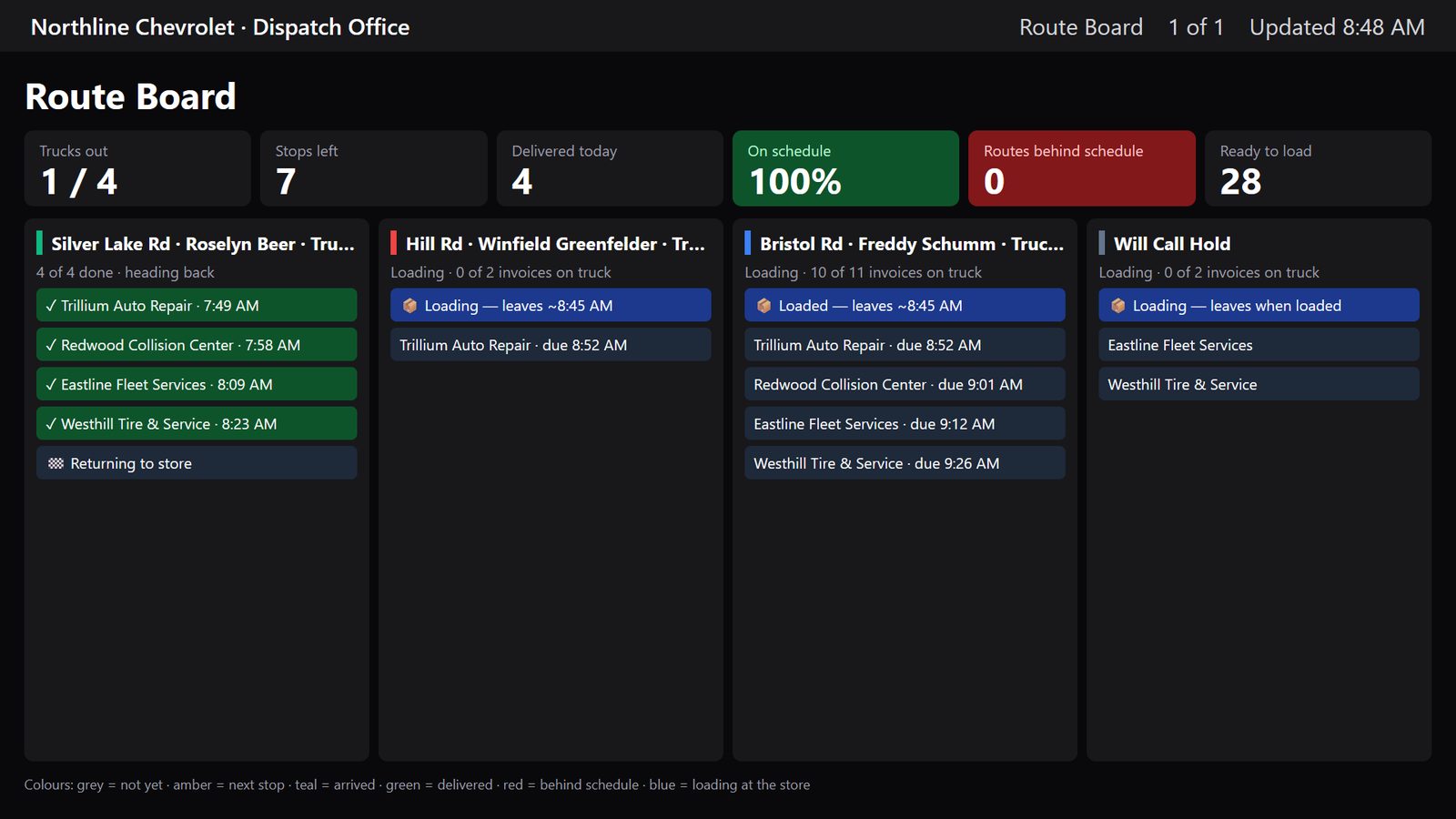
Each truck gets its own column, with the route, the driver and the stops left. Every stop is coloured: not yet, next, arrived, delivered, or past due. Routes still loading at the store appear too, which is the part a plain map cannot show you. The header keeps the day’s totals in view: trucks out, stops left, delivered today and routes behind schedule. Long columns scroll on their own.
Late and At-Risk Deliveries: worst first
Every stop that is past due, listed by customer and route, with when it was due and how far behind it is. The worst one is always at the top, so dispatch can call the customer before the customer calls you. When nothing is late the screen says so: “Every delivery is on schedule.”
Before the truck leaves: loading and ready to load
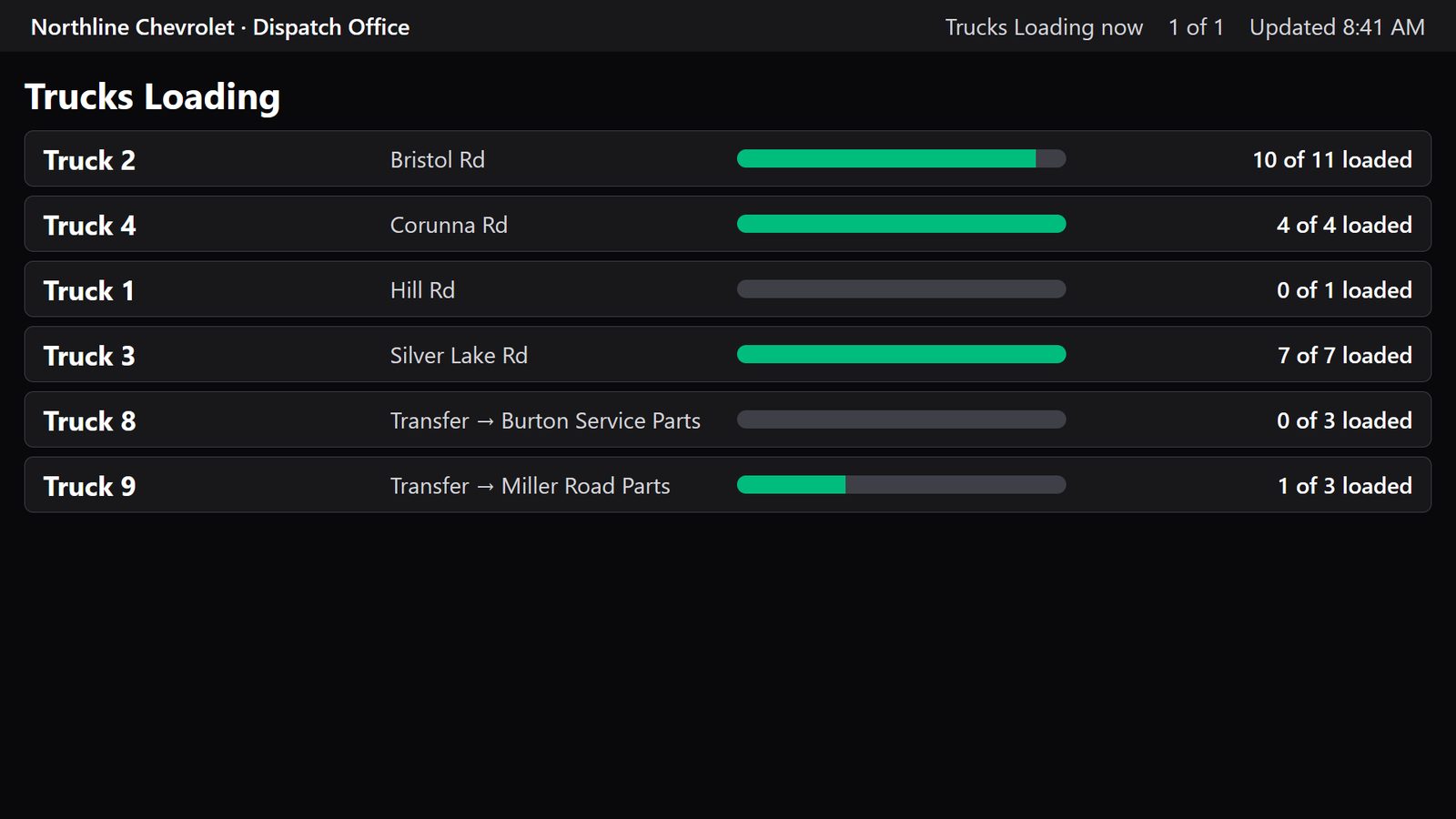
Delivery starts at the dock, so the dock gets screens too. Trucks Loading now shows, for each truck, how much has been scanned on board against how much is still to load. Ready to Load by Route shows the staged and packed invoices waiting for each route and when it leaves next. Loading is scan-verified with ScanIt Parts, so these numbers come from real scans, not from someone ticking a box.
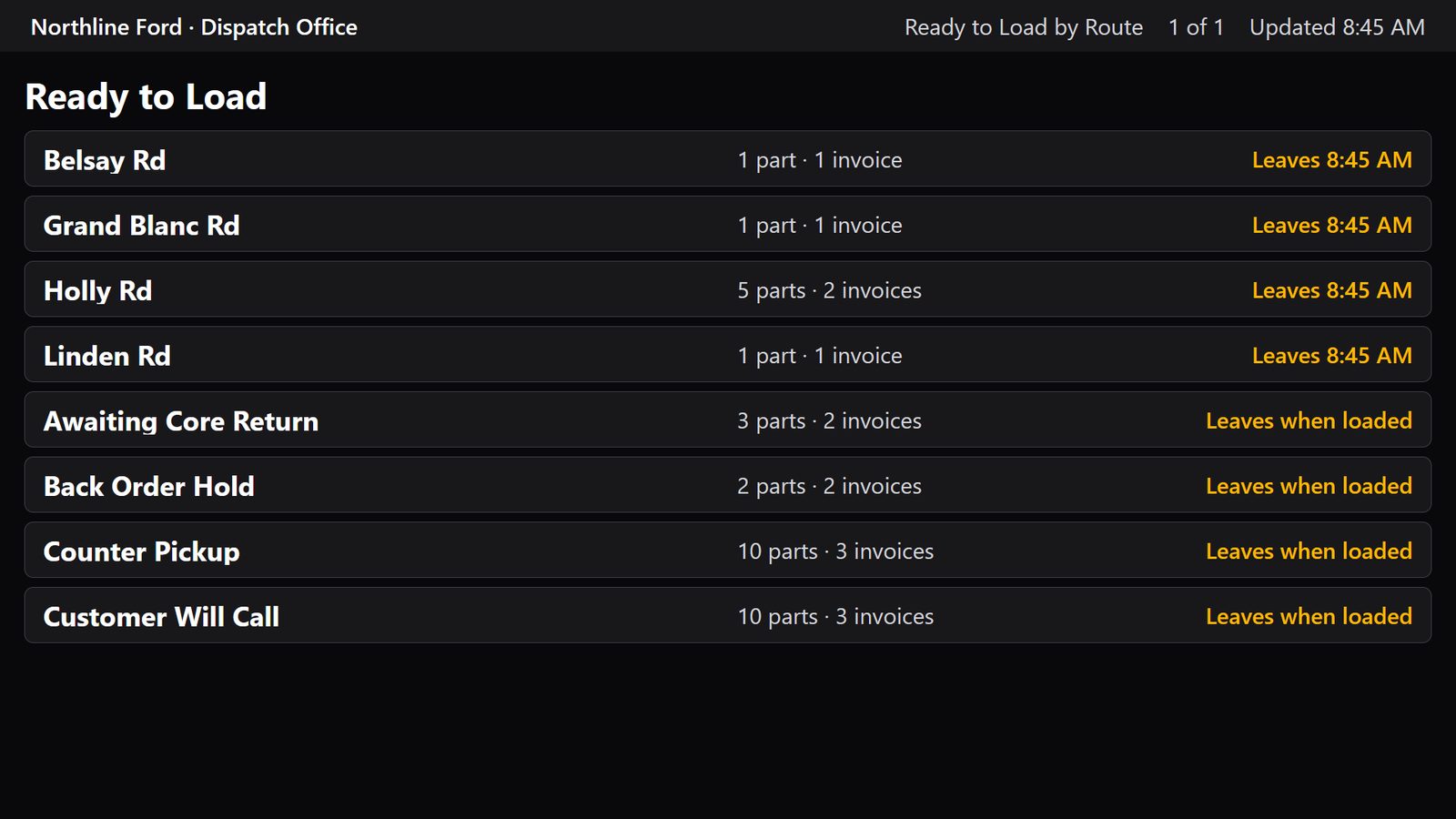
Set up as many TVs as you need. The dispatch office can rotate the map, the route board and late deliveries. The shipping bay can rotate loading and ready-to-load. Each TV has its own screens and its own timing, and each can show one store or every store you run.
More than a dispatch screen on a TV
Some delivery tools let you put their dispatch screen on a wall. That is one screen. ScanIt Delivery’s TV Dashboards are a rotation built from the same scans that load the truck and confirm the delivery, and they cover the whole trip:
| On the wall | A dispatch screen on a TV | ScanIt TV Dashboards |
|---|---|---|
| Live truck map | Usually | Yes |
| Every stop colour-coded per truck | Usually | Yes, including routes still loading |
| Late stops, worst first | Sometimes | Yes, on its own screen |
| Trucks loading and ready to load, from real scans | No | Yes |
| Picking, packing and staging in the same rotation | No | Yes, with ScanIt Parts and PickIt |
| Different screens on different TVs | One screen | As many TVs as you want, each with its own rotation |
| Sign-in on the TV | Often | None — a private link per TV |
Setting it up
- Ask us to switch TV Dashboards on. It is a monthly add-on, so we turn it on for you.
- In ScanIt Parts, go to Settings → Dealership → TV Dashboards, name the TV and add the screens you want. Drag them into order and set how long each one shows.
- Copy that TV’s link, open it on the TV, and leave it running. If the Wi-Fi drops it picks itself back up.
The map, the Route Board and Late Deliveries need ScanIt Delivery routes. The loading, picking and staging screens need PickIt. A TV only offers screens you have data for.
Keep exploring
See Your Trucks on the Wall
TV Dashboards are a monthly add-on for ScanIt Delivery and ScanIt Parts dealers. Request a demo and we will show you the map, the route board and the loading screens.